Forgot to Bill? Send an Invoice from Your Phone Right Now (2025 Guide)
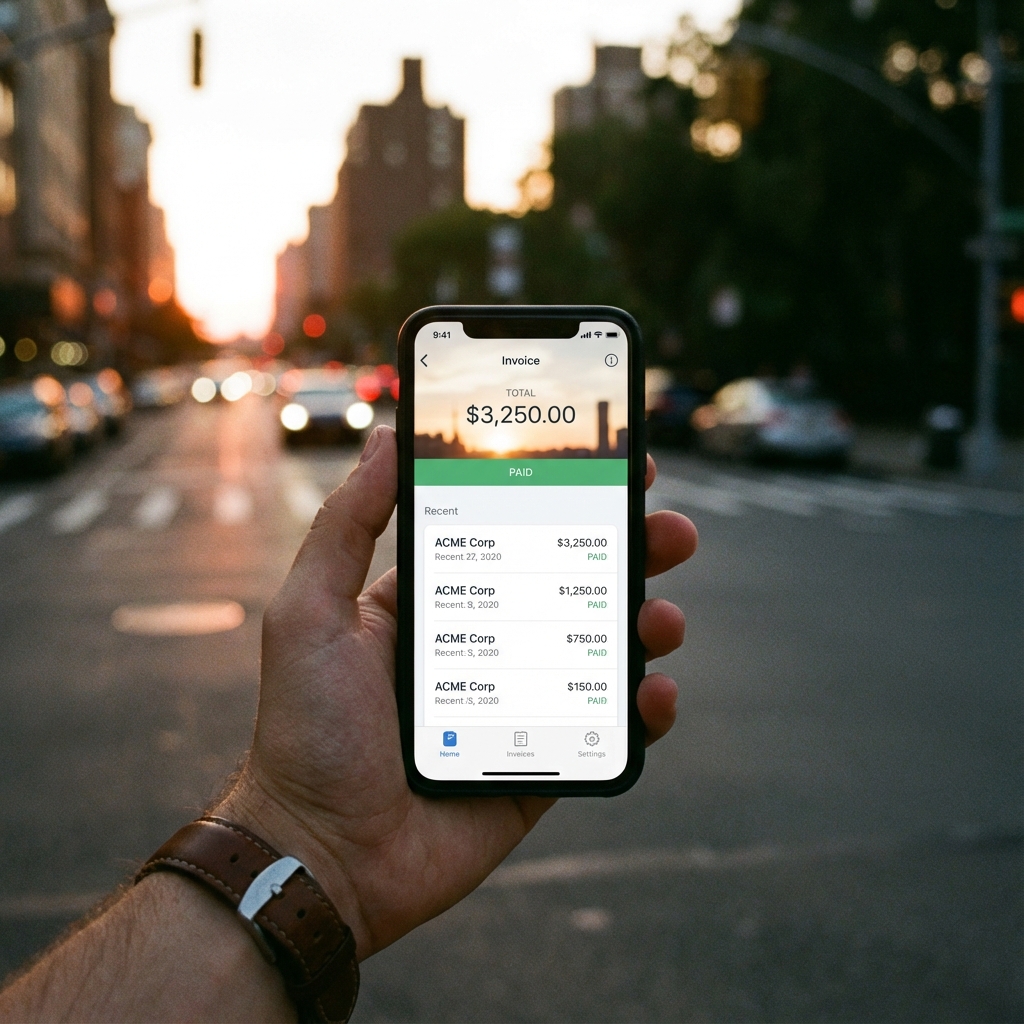
AI Image Prompt: Close up of a hand holding a smartphone displaying a sleek invoice app interface, blurred city background suggesting on-the-go business, warm sunset lighting
We've all been there. You finish a job, shake hands with the client, and drive away. You tell yourself, "I'll send the invoice as soon as I get back to the office." But then life happens. You get a call for another job, you hit traffic, you get home and get distracted by family. Suddenly, it's three days later, and you realize with a sinking feeling: I forgot to bill.
In the past, this meant driving back to your computer, booting up, and logging into desktop accounting software. But in 2025, your office is in your pocket. The ability to send an invoice from your phone is not just a convenience; it's a cash flow lifesaver. It allows you to close the loop on a project the moment it's done, right from the parking lot.
This guide is for the mobile professional—the contractor, the consultant, the freelancer who is always on the move. We'll explore how to use a mobile invoice app or a mobile-optimized website to generate professional bills in seconds, ensuring you never "forget to bill" again.
The Mobile Invoicing Revolution
Smartphones have transformed from communication devices into full-fledged business command centers. Invoicing is the final frontier of this transformation.
Why Wait Until You're Home?
The "gap" between finishing work and sending the invoice is the danger zone. It's where details get forgotten ("Wait, did I work 3 hours or 3.5?"), receipts get lost, and payment delays begin. By invoicing from your phone, you eliminate this gap.
The "Android Invoice Maker Free" Ecosystem
The market is flooded with tools, especially for Android users looking for an android invoice maker free of charge. But you don't even need to install an app. Modern web technologies (PWAs) mean that a website like Invoicely works just as well as a native app, without taking up storage space on your device.
AI Image Prompt: 3-step infographic style illustration: 1. Handshake (Job Done), 2. Smartphone with Invoice App (Create Bill), 3. Money Icon (Get Paid), connected by arrows, modern flat design
Step-by-Step: Sending an Invoice from Your Phone
Creating an invoice on a 6-inch screen might sound fiddly, but good design makes it effortless. Here is the workflow for the modern mobile biller:
1. Open Your Browser or App
Navigate to your chosen invoice generator. If you use a browser-based tool, we recommend "Adding to Home Screen" so it opens like an app.
2. Use Voice-to-Text for Data Entry
Typing on a phone can be slow. Use your phone's dictation feature. Tap the microphone icon and say "Website Consultation, four hours." It's faster than typing on a keyboard.
3. Select Client from Contacts
Advanced mobile invoice app tools integrate with your phone's contacts. Instead of typing an email address, you just select "John Smith" from your address book, and it auto-fills.
4. Generate PDF and Share
This is the best part. Once the PDF is generated, use your phone's native "Share" sheet. You can:
- Email it via Gmail/Outlook
- WhatsApp it directly to the client
- Send it via iMessage/SMS
- Save it to Google Drive/iCloud
Sending an invoice via WhatsApp or text is becoming increasingly acceptable for small businesses and tradespeople. It's direct and gets immediate attention.
App vs. Browser: Which is Better for Mobile Invoicing?
Should you download a dedicated app or just use a website? Let's compare.
Dedicated Mobile Apps
Pros: Offline access (create invoices without signal), push notifications for when invoices are viewed/paid.
Cons: Takes up storage, requires updates, often pushes paid subscriptions aggressively.
Browser-Based Generators (Web Apps)
Pros: No installation, works on any device (friend's phone, library computer), usually completely free, no background battery drain.
Cons: Requires internet connection (though 5G is everywhere now).
For most users looking for a quick invoice from phone solution, a mobile-optimized website is superior because it's instant. You don't have to wait for a download or sign up for an account just to send one bill.
Best Practices for Invoicing on the Go
Just because you're invoicing from a parking lot doesn't mean you should look unprofessional. Follow these rules:
1. Keep It Simple
Mobile screens are small. Don't write a novel in the description. Be concise: "Emergency Plumbing Repair - Kitchen Sink."
2. Check the Preview
Always zoom in on the PDF preview before sending. Fat-finger typos happen. You don't want to bill $1000 instead of $100.
3. Have Your Logo Ready
Save your company logo in a specific album on your phone (e.g., "Business Assets"). This makes it easy to upload to any android invoice maker free tool without scrolling through thousands of cat photos.
4. Use Mobile Payment Links
Since your client is likely receiving the invoice on their phone, make it easy for them to pay on their phone. Include a Venmo, Cash App, or PayPal link. They can tap and pay in seconds.
Security: Is Mobile Invoicing Safe?
Invoicing from a phone is generally very safe, but there are precautions:
- Don't use public Wi-Fi: If you are in a coffee shop, use your cellular data (4G/5G) rather than unsecured public Wi-Fi when handling financial data.
- Screen Lock: Ensure your phone has a strong passcode or biometric lock (FaceID/Fingerprint) in case it gets lost.
- Browser Privacy: If using a browser tool, use "Private" or "Incognito" mode if you are borrowing someone else's phone to send an invoice.
AI Image Prompt: Conceptual illustration of a smartphone with a digital shield, padlock icon, and invoice document, representing secure mobile financial transactions, blue and silver color palette
Conclusion: The Office is Wherever You Are
The ability to send an invoice from your phone is the ultimate freedom for a business owner. It untethers you from the desk. It means you can wrap up a job, send the bill, and go enjoy your life, knowing the administrative work is done.
Whether you choose a dedicated app or a streamlined browser tool, the key is action. Don't wait. The next time you finish a task, pull out your phone. Create, generate, send. It's that simple.